Amp Impact Nashira: Numerator/Denominator Indicators Compatible with Excel Templates for Target Setting and Reporting

Amp Impact Nashira: Numerator/Denominator Indicators Compatible with Excel Templates for Target Setting and Reporting

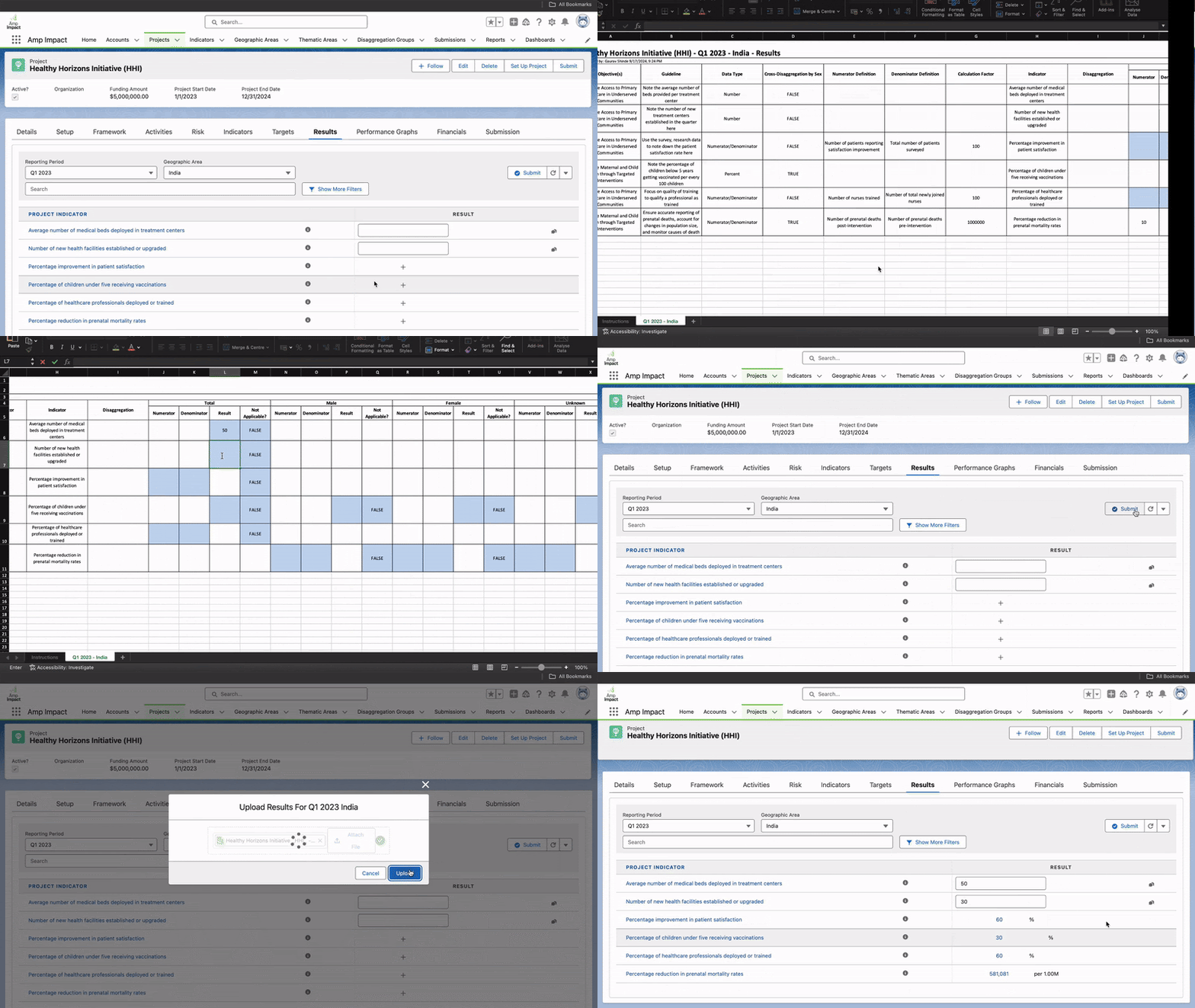
Introducing Amp Impact Nashira, named after the bright star in the Capricornus constellation. The name Nashira, meaning “bearer of good news” in Arabic, reflects the valuable updates this release offers. Building on the Numerator/Denominator data type introduced in the previous Mira release, this update brings compatibility of Numerator/Denominator indicators in Amp’s Excel templates.

Nashira also provides users with the flexibility to set validation ranges for Numerator/Denominator data type Indicators.

New Features of Nashira

Refer to Calculation Factors: Users can now easily refer to the calculation factor while setting targets and reporting results for Numerator/Denominator data type Indicators.

Quickly Gauge Indicator Performance with Stoplights: Indicator management now allows users to set stoplight thresholds for Numerator/Denominator Indicators to visually indicate how reported results have met targets.

Track Indicator Performance with Visual Performance Graphs: Nashira brings support for Numerator/Denominator Indicators on Amp’s Performance Graphs feature, letting users easily track results vs targets over time.

Multi-Language Support: With Nashira, multi-language support extends to Numerator/Denominator Indicators, letting users across regions view data in their relevant language.

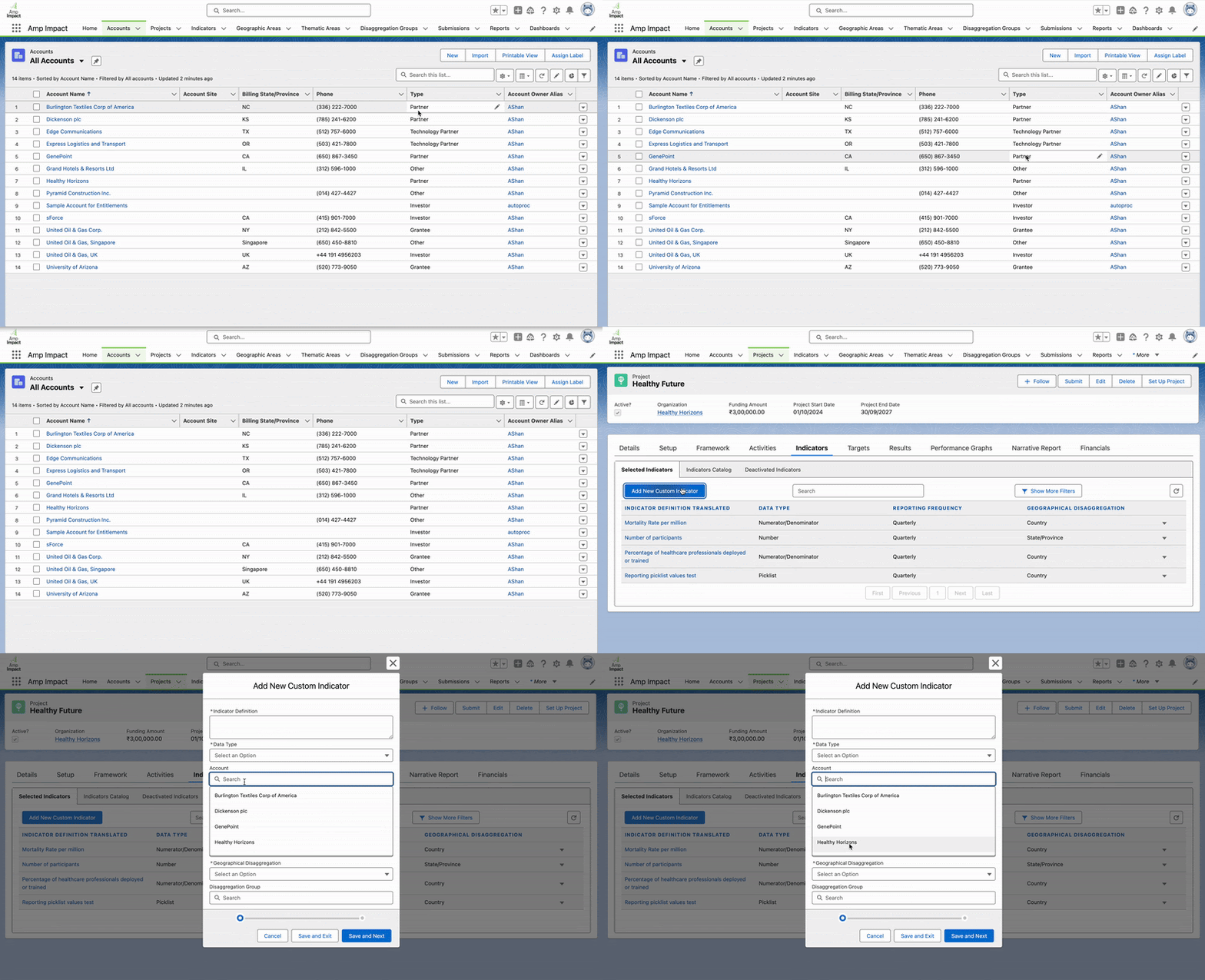
Improved Lookup Dropdowns in Lightning Web Components: System admins can now specify lookup filters, displaying only relevant options to users, minimizing clutter and improving search efficiency.

Clearer Context in Lookup Dropdowns: Administrators can now specify the label displayed in lookup dropdown options, helping users identify the correct option at a glance.

Automatic Data Refresh in Lightning Components: Amp’s Lightning Web Components can now be automatically refreshed from custom Flows or Apex Triggers to display updated data.

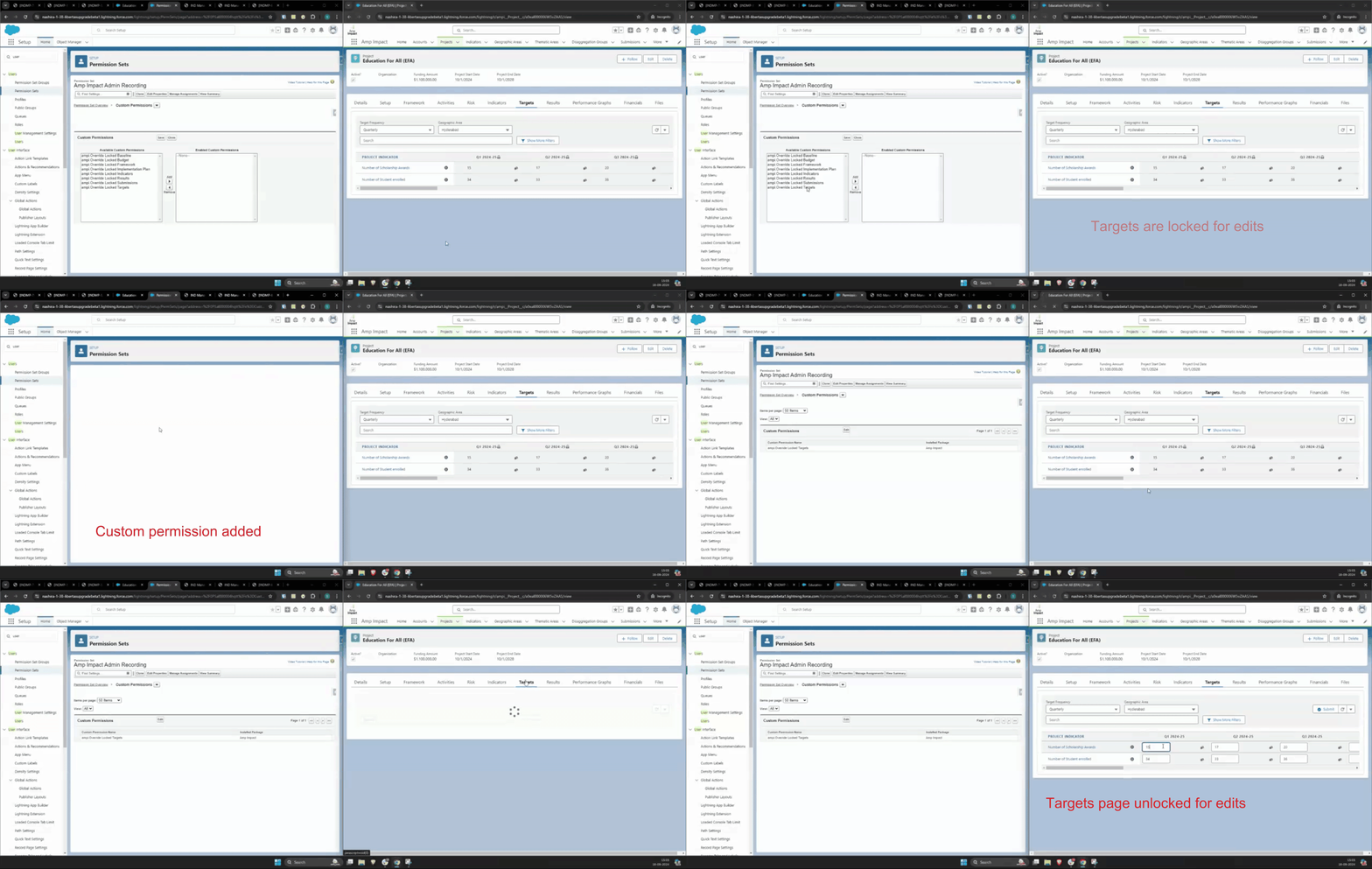
Permissions to View/Edit Unlocked Components: Submitted Lightning components can now remain unlocked for specific users via custom permissions, enabling seamless collaboration on submitted records.

Validation for Submission Responses: The Submission response form is now validated when submitted via Quick Actions or Flow, ensuring correctly filled forms are submitted.

Back-end Enhancements for Salesforce’s Nonprofit Cloud Compatibility: All Apex classes, triggers, flows, LWC and Aura components, flexi pages, and Visualforce pages have been upgraded to API version 61.0, enabling users to reference the latest NPC objects.
For Existing Amp Impact Customers

If you are seeking to upgrade your system to Amp Impact Nashira and need support, please reach out to your Customer Success Manager for more information or contact us at support@verasolutions.org.